Insight
New Attachment and Delegate Functionality
ZorroSign introduced Attachment and Delegate functionality for adding supporting files to envelopes and assigning another user to act during a defined delegation period.
ZorroSign is proud to announce the release of two new enhancements that will help to ensure the best digital signature experience on our data security company built on blockchain. . . let’s dive in!
ATTACHMENTS
Our new Attachment functionality allows users to assign attachments to users in a workflow plus add supporting files to envelopes being created. For example, once you have created a workflow and envelope, the new Attachment icon is now available on the top right of your screen.
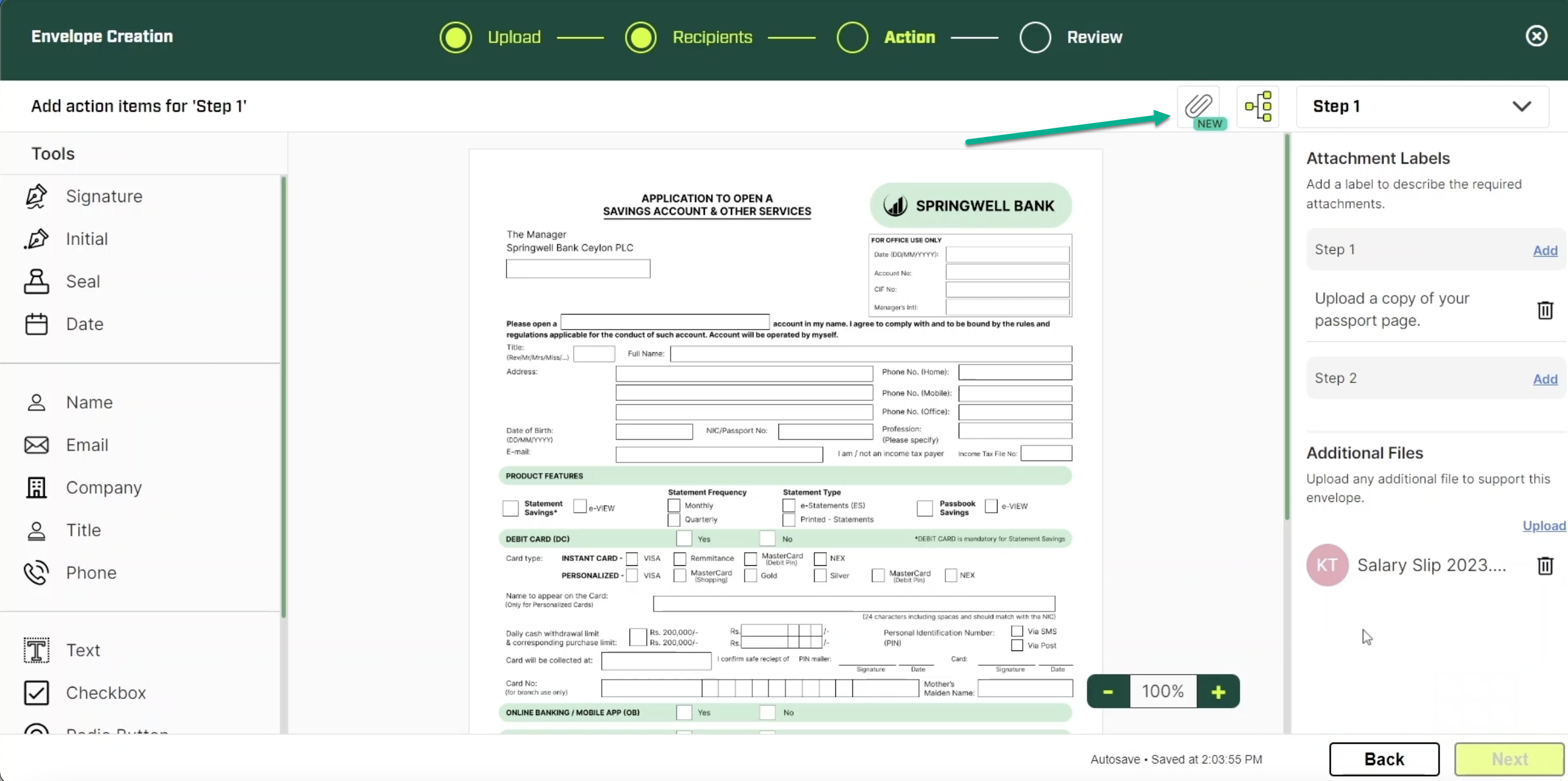
When assigned attachments as a ZorroSign user, you can see how to add the specified attachments assigned to you, as well as add supporting files to the envelope, and view attached files added by previous users. Multiple files can be uploaded by selecting upload again and continuing the same process.
To learn more about how to assign attachments and add attachments to your envelope, visit our “how to” videos on YouTube at:
- Assign Attachments – https://youtu.be/g06ouwY1KUk
- Add Attachments – https://youtu.be/4ugsmis-ns4
DELEGATE
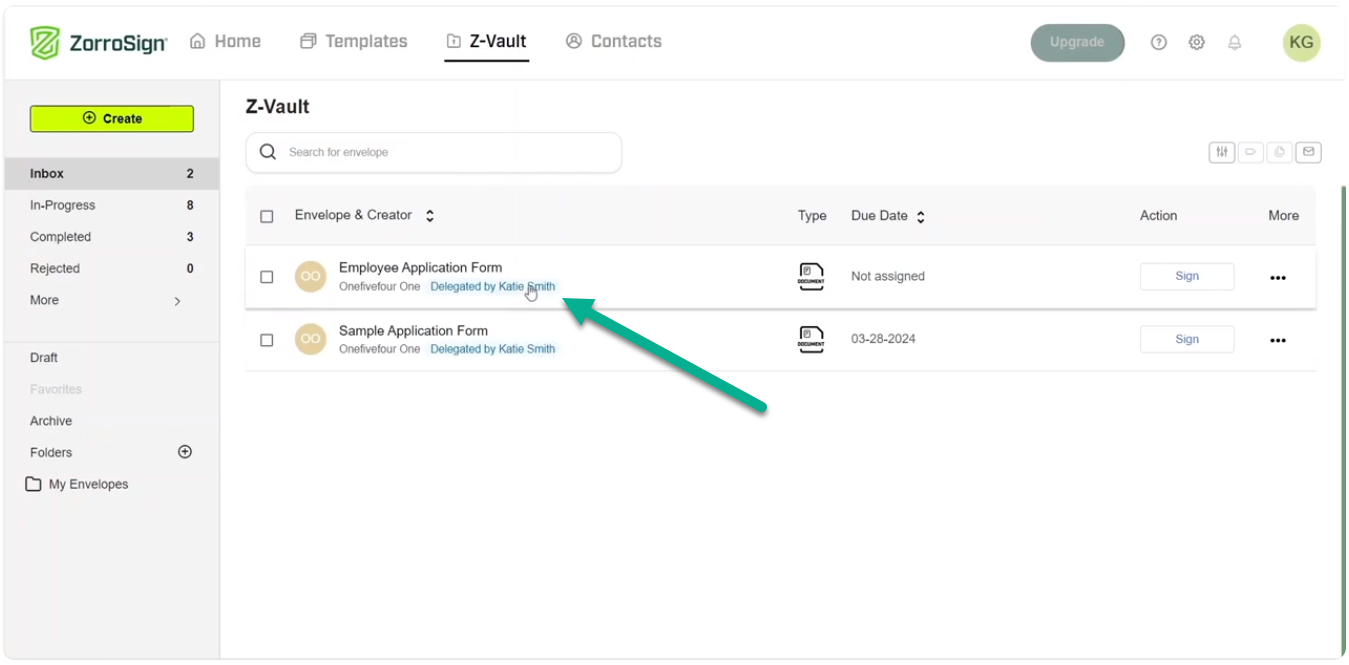
Our new Delegate functionality allows ZorroSign users more flexibility when it comes to signing and sending their documents. For example, you can now assign a delegate to Z-Sign envelopes on your behalf—when you are out of town, away from your devices, or do not have access to your ZorroSign account.
To access this new feature, you must contact sales@zorrosign.com to add it to your organization. Then, your organization’s ZorroSign administrator can assign specific people access to delegate or allow your entire organization access.
When a delegator assigns someone else as delegate, all envelopes sent to the delegator—during the delegation period—will now appear in the delegate’s Z-Vault Inbox. When assigning a delegate, users must set a start and end date for the delegation period, and once that time period is expired, the delegate will lose access to delegated documents.
To learn how to enable Delegation for your organization, add someone as a delegate, and how to Z-Sign a document as a delegate, view our “how to” videos on YouTube at:
- Enable Delegation – https://youtu.be/_zchm-gzOBE
- Add a Delegate – https://youtu.be/IRxkTx_acjE
- Z-Sign as a Delegate – https://youtu.be/RSbU17l2GAQ
At ZorroSign, we are excited to continuously expand our data security platform on blockchain and bring you the very best user experience in digital signatures, data storage, document workflow management, and more!